AI Image Layer Separator
Turn any image into fully editable layers
Separate flat images into fully editable layers with automated inpainting. Export transparent PNG stacks and layered PSDs in seconds.






Real-time Demo
From a single image to fully editable layers
Skip hours of manual clipping. Watch AI separate elements, reconstruct occluded backgrounds, and export native PSD layers for Photoshop.
Separate Any Image into Layers in 3 Steps
Upload Your Image
Drop in any JPG, PNG, or WebP image. Add optional text prompts to target specific objects, or let AI auto-detect.
AI Splits Image into Layers & Inpaints Background
AI automatically splits discrete elements into independent layers and inpaints hidden background textures without holes.
Export Transparent PNG Stacks & Layered PSDs
Download transparent PNG stacks or layered PSDs, ready to open directly in Photoshop, Figma, and your favorite design tools.
AI Layer Decomposition & Background Reconstruction
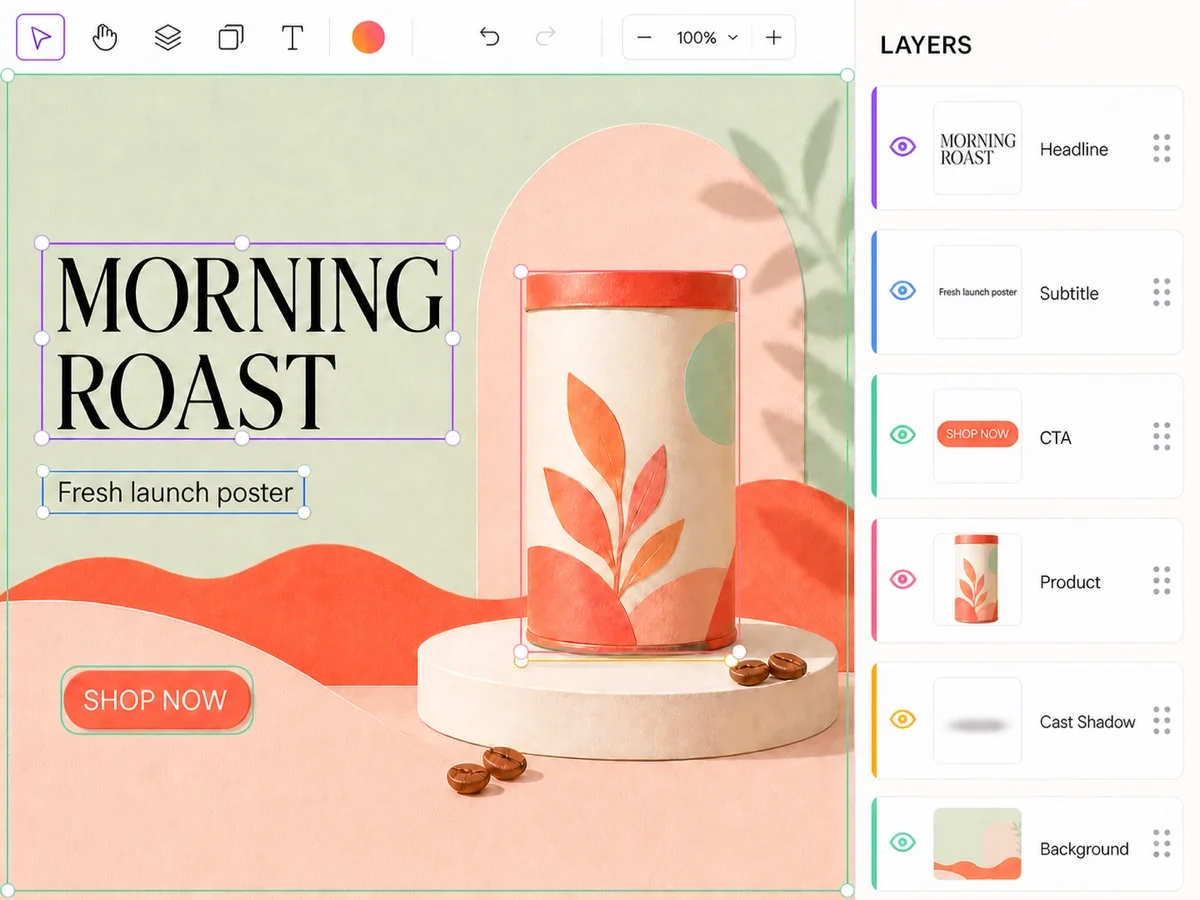
Multi-Layer Separation: Subjects, Text & Shadows
- Up to 16 discrete layers: Subjects, text, and cast shadows separated
- Prompt-guided or auto-decomposition: Steer extraction with text prompts
- Preserves true stacking hierarchy and natural alpha transparency
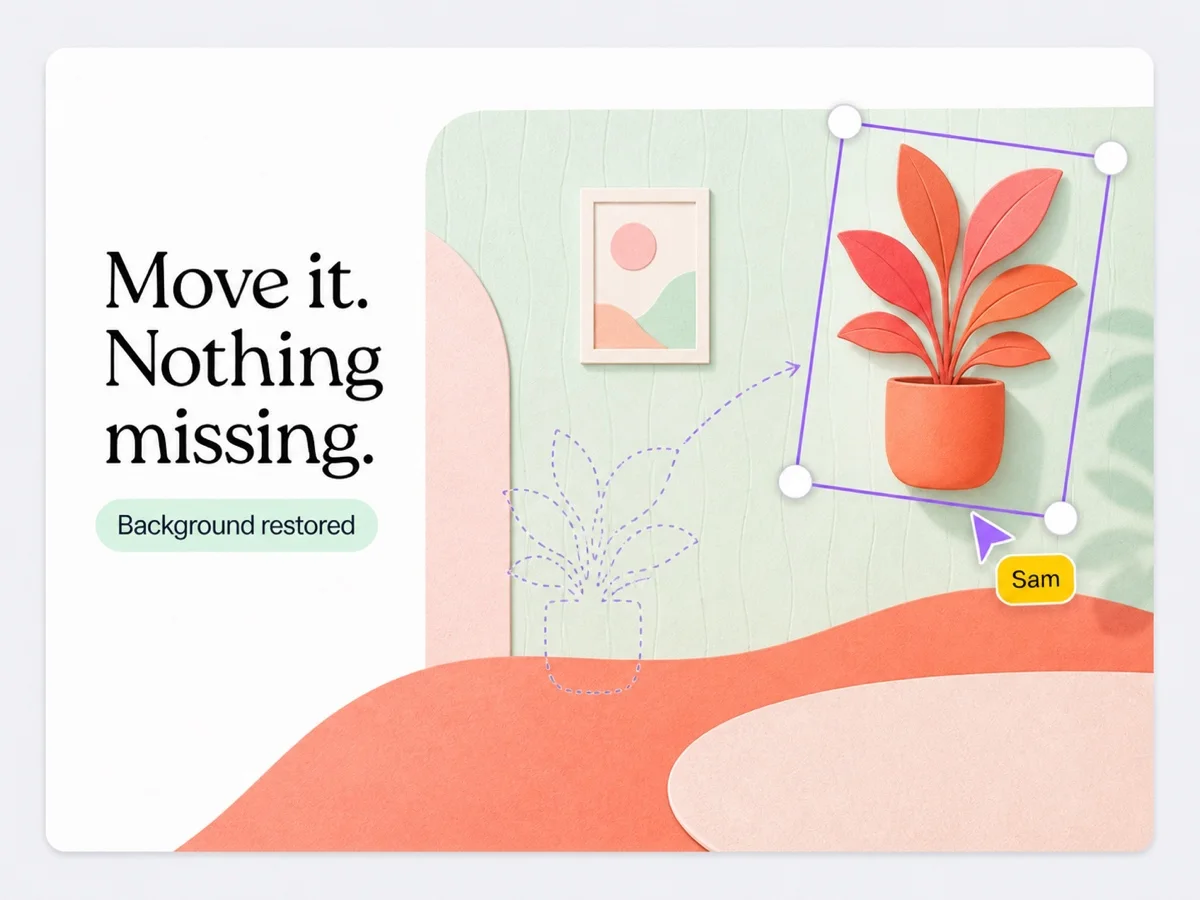
Background Inpainting: Move Layers Without Holes
- Intelligently reconstructs occluded textures and lighting
- Preserves natural ground shadows and soft edge blending
- Freely reorder and move layers with seamless continuity
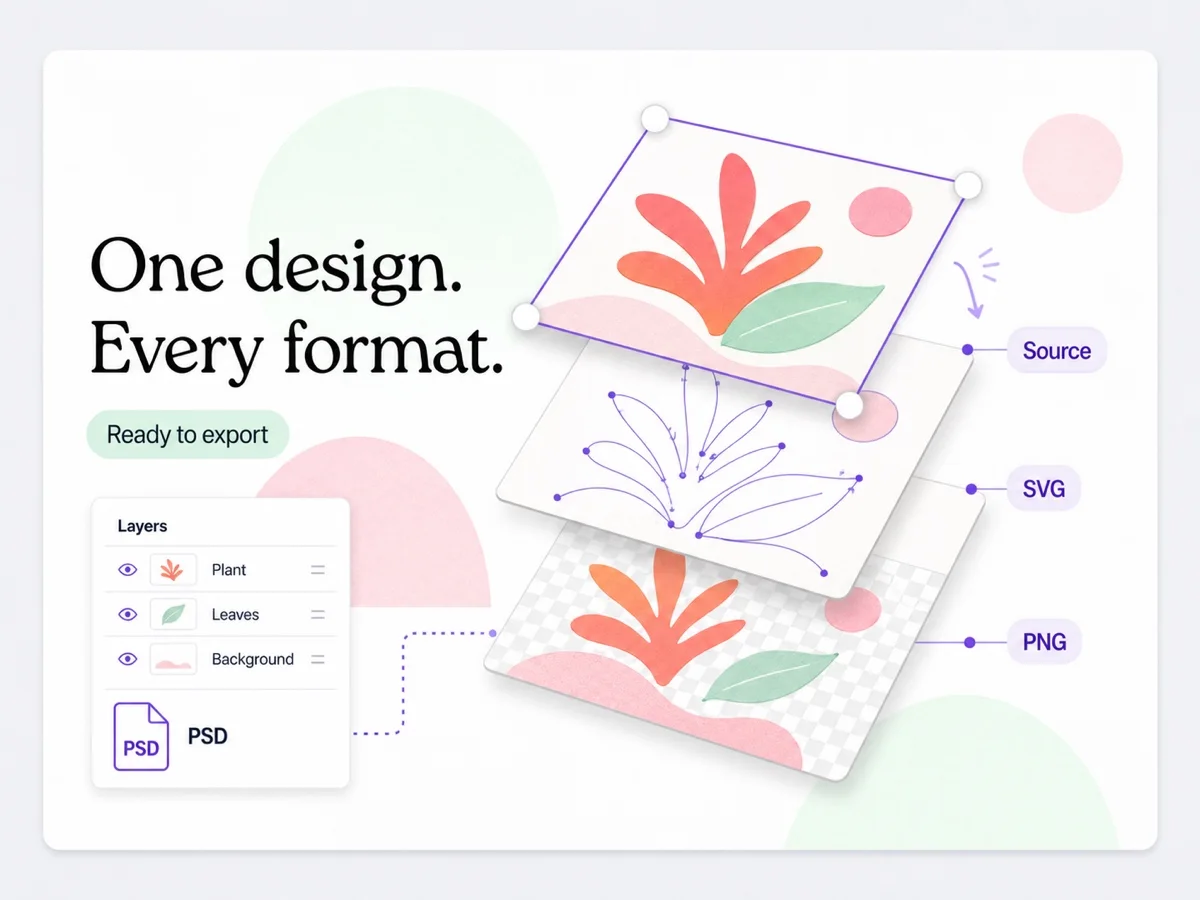
PNG Stacks & Layered PSDs: Built for Figma & Photoshop
- Transparent PNG stacks: Full-resolution lossless layers, ready to drop into any workflow
- Layered PSD exports: Preserves layer hierarchy, naming, and alpha masks
- Free re-exports: Switch formats and re-download locally anytime
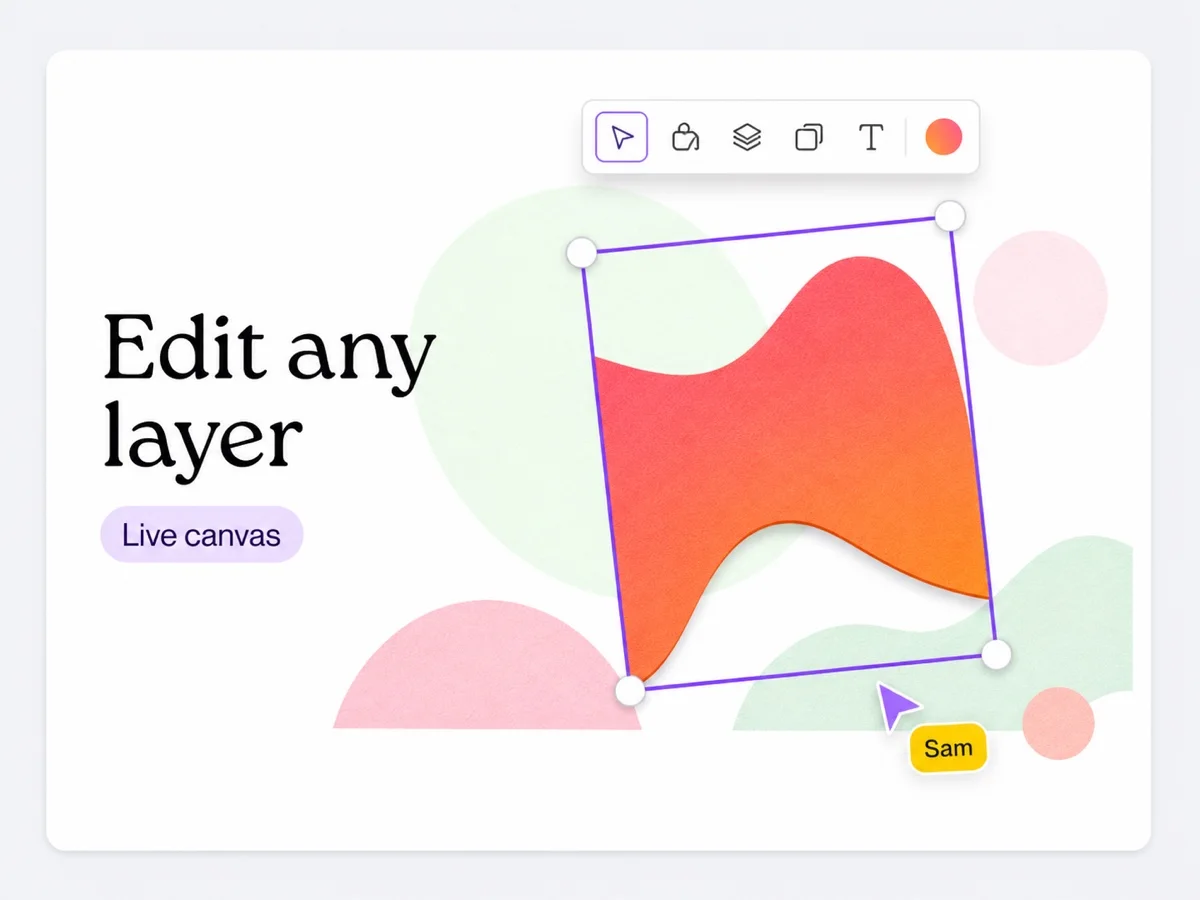
Online Layer Editor: Reorder, Hide & Edit with AI
- Visual layer management: Drag to reorder stacking, toggle visibility, and rename plates
- AI-powered editing: Select any layer to inpaint and modify content with prompts
- Pixel-level fine-tuning: Built-in alpha masks for effortless positioning and scaling
End-to-End Image Layer Separation Pipeline
Graphic Designers & Illustrators
No more redesigning from flat filesE-Commerce & Marketing Teams
Instant scene swaps with real shadowsPrint Shops & Custom Apparel
Spot color films & cut-ready vectorsPresentations & Content Creators
Decouple visuals for interactive slidesCore AI Engine: Layer Decomposition & Background Inpainting
Deconstructs flat images into up to 16 discrete layers. Automatically inpaints hidden backgrounds and reconstructs physical cast shadows — zero void holes, zero manual patching.
Flexible Pricing for Every Creative Workflow
Starter
~124 image layers
Subscribe Now- 500 credits every month
- Premium AI separation model
- Full 16-layer depth
- Selectable layer count
- Targeted Region editing (precision selection)
- Lossless 2K output
- Layered PSD & PNG export
- Full Web Layer Editor access
- No 30+ deep layers
- No Batch uploads
- Standard queue
Pro
~499 image layers
Subscribe Now- 2,000 credits every month
- Premium AI separation model
- Up to 30+ deep layers (via region editing)
- Selectable layer count
- Precision Targeted Region editing
- Lossless 2K output
- Priority GPU Queue
- Layered PSD & PNG export
- Full Web Layer Editor access
- No 50+ extreme layers
- No Batch uploads
Studio
~1,499 image layers
Subscribe Now- 6,000 credits every month
- Premium AI separation model
- Up to 50+ extreme layers (via region editing)
- Exclusive Batch Upload & Processing
- Top-priority GPU pipeline
- Unlimited layer count & region editing
- Lossless 2K output
- Layered PSD & PNG export
- Full Web Layer Editor access








Layer Separation FAQ
Separate Images into Layers for Free Today
Start Separating Free20 free credits at signupNo credit card required · Strict privacy