Convert Images to Editable PSD with AI
Automatically separate subjects onto transparent layers and inpaint hidden backgrounds. Export native layered PSDs ready to edit in seconds.
No image?Try one of these:
How to Separate Images into Layered PSD Online
- 1
Upload Your Image
Drop in any photo, marketing poster, screenshot, or AI-generated artwork (Midjourney, ChatGPT, Gemini).
- 2
AI Deep Layer Separation
Vision AI separates subjects onto transparent layers and generative inpainting restores the hidden background.
- 3
Export Native PSD
Download a fully organized Photoshop (.psd) document ready to open in Adobe Photoshop, Photopea, or Figma.


Separate Any Image into Editable PSD Layers with AI
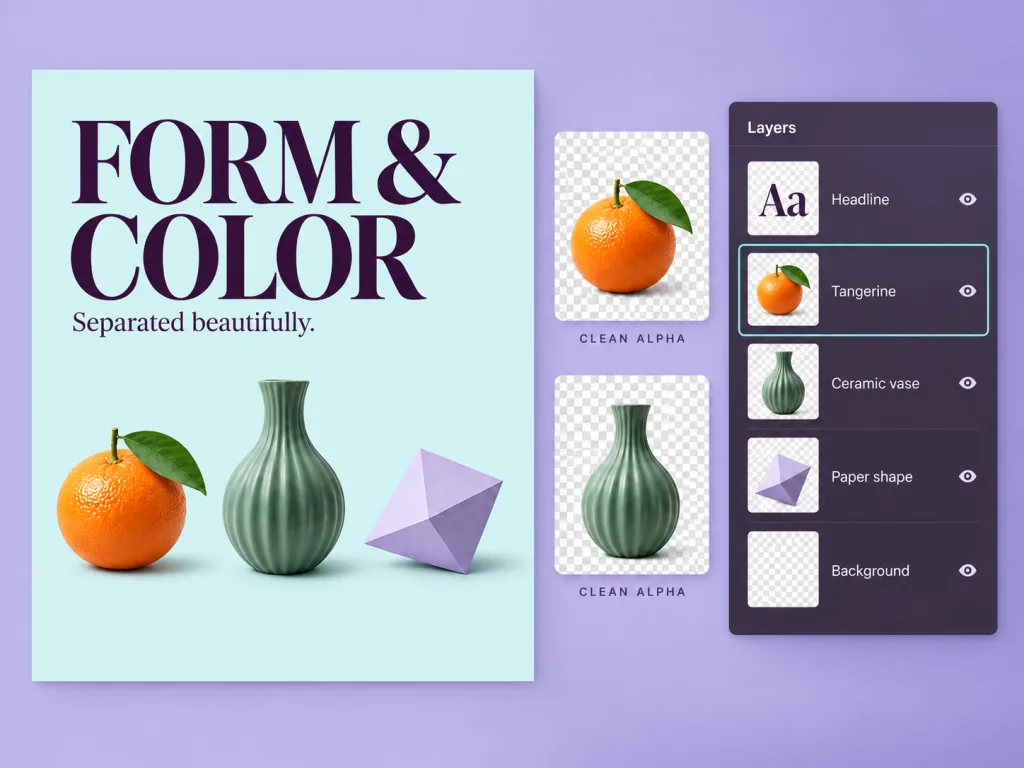
Real Multi-Layers
True Multi-Layer PSD with Clean Alpha Masks
- Every element is its own layer in the PSD — not one flat image wrapped in a file
- Layers stack in their real order, with clean transparent edges
A flat JPG or PNGLayered PSD
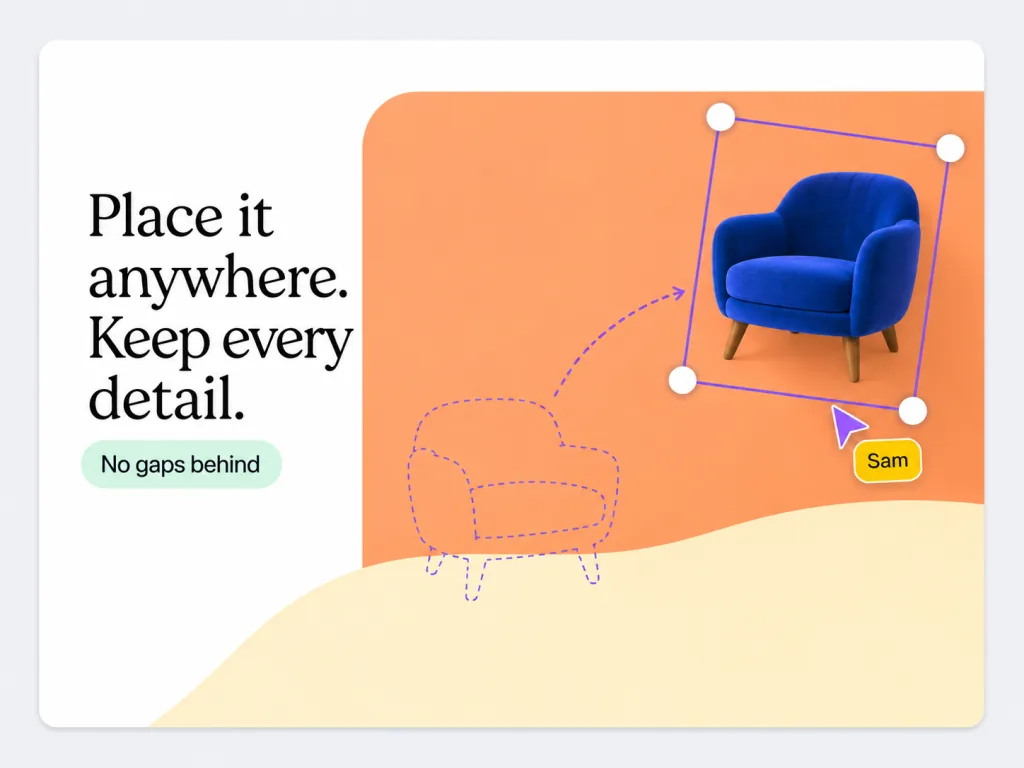
Generative Inpainting
Inpaint Hidden Backgrounds — No Holes or Gaps
- Hidden areas are filled in, so moving a subject in the PSD leaves no hole
- No more clone-stamping to patch it up
Hole left by a cut-outComplete background layer
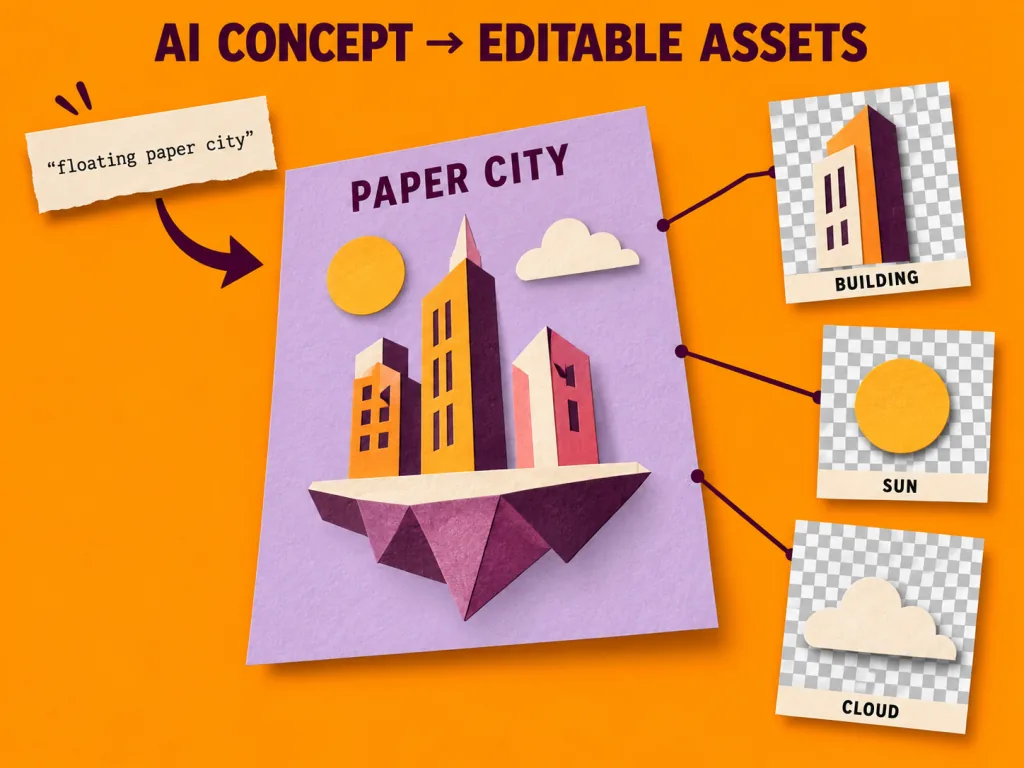
AI Art Unlocked
Turn Midjourney, ChatGPT & Gemini Art into Editable PSDs
- Images from Midjourney, ChatGPT and Gemini split like any other
- Recolour, swap elements or rearrange in Photoshop instead of re-prompting
One AI renderEditable PSD
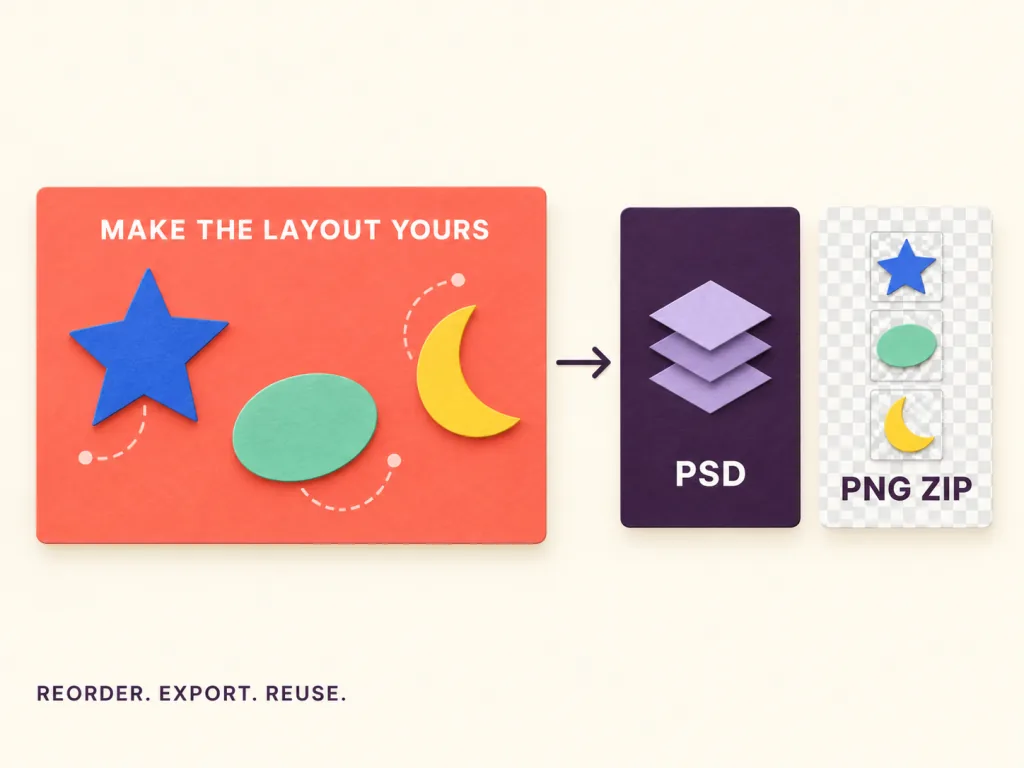
Canvas & Dual Export
Browser Canvas & Dual Export: PSD + PNG Stack
- Reorder and toggle layers in the browser before you export
- Export the same run as a PSD or as a set of transparent PNGs
Separated layersPSD + PNG set
Built for Every Creative & Production Workflow
Graphic & UI Designers
Update flat client assets, banners, and typography without redrawing or manual tracing.Concept & Digital Artists
Convert AI-generated concept art into multi-layered PSDs for paintover, lighting, and polish.E-Commerce & Marketing
Separate products from marketing backdrops to create seasonal campaigns and multi-channel ads.Animators & Motion Designers
Decompose flat character illustrations into independent plates ready for After Effects or Live2D.EzLayers
Pick your use case
More ways to use Image to PSD
Frequently Asked Questions About Image to PSD
Image to PSD, Free to Start
20 free credits at signup · No credit card required · Strict privacy
No image?Try one of these: