
Change Date on Photo or Image —
Type the new date, keep the design

Event moved? Wrong date stamp on a photo? Upload the image, type the date that is there and the date you want, and it comes back rewritten in the same lettering.


Marketing poster after AI image text editing, with seamless inpainting and live editable text layers (After)Commercial marketing poster original, ready to edit text in image online (Before)
BeforeAfter
No image?Try one of these:
  • 2 edits freeA free account gets 20 credits; each rewrite is 8.
  • Same font and colourThe new date is drawn in the style of the old one.
  • No source file neededWorks on a flat JPG or PNG, in the browser.

Change Date on Photo and Poster: Real Results

One rewrite each: the old date typed in, the new date typed in, nothing touched by hand.

Illustrated night market poster with the date SAT, JUNE 14
Before
Illustrated night market poster with the date SAT, JUNE 14 — After
After

Event posters

The market moved a week

“SAT, JUNE 14” became “SAT, JUNE 21” in the same bold lettering. Lights, stalls and every other line are unchanged.
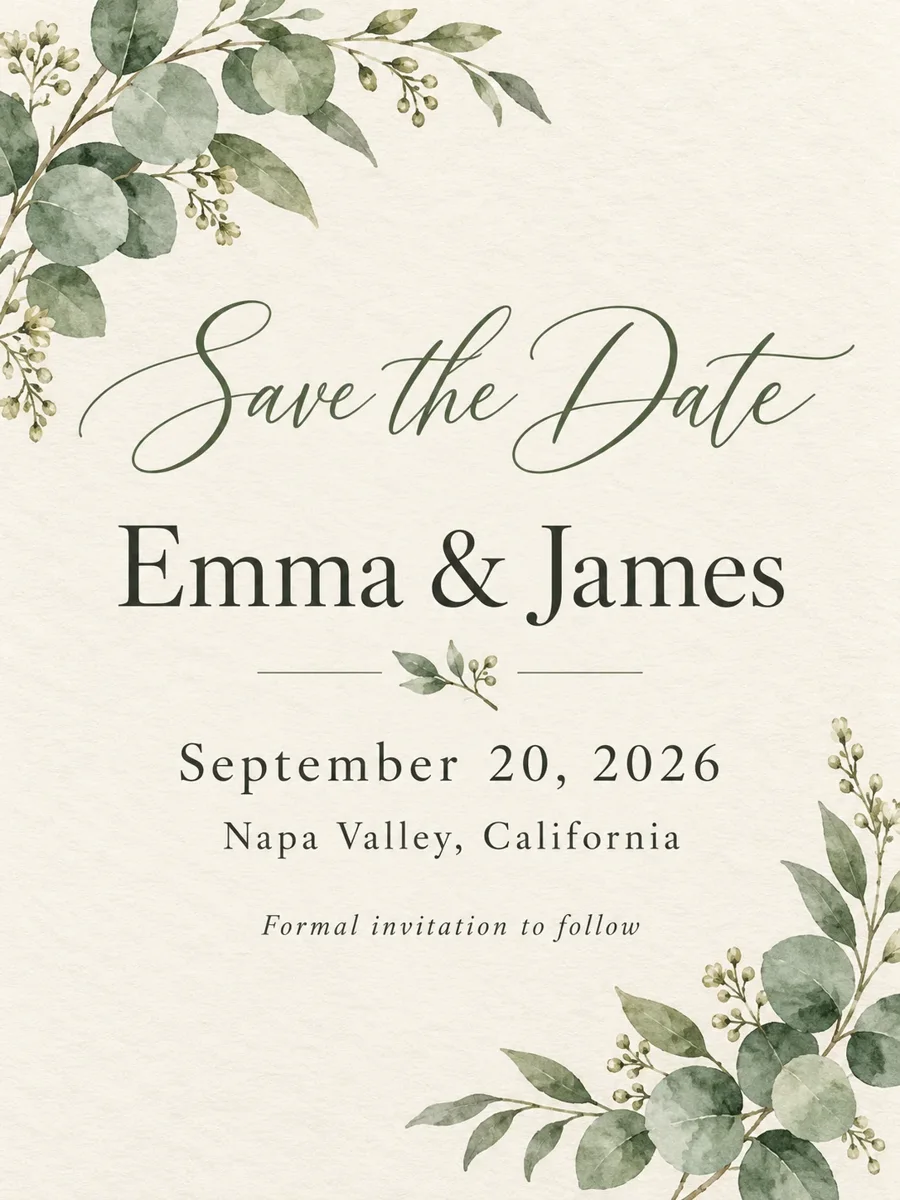
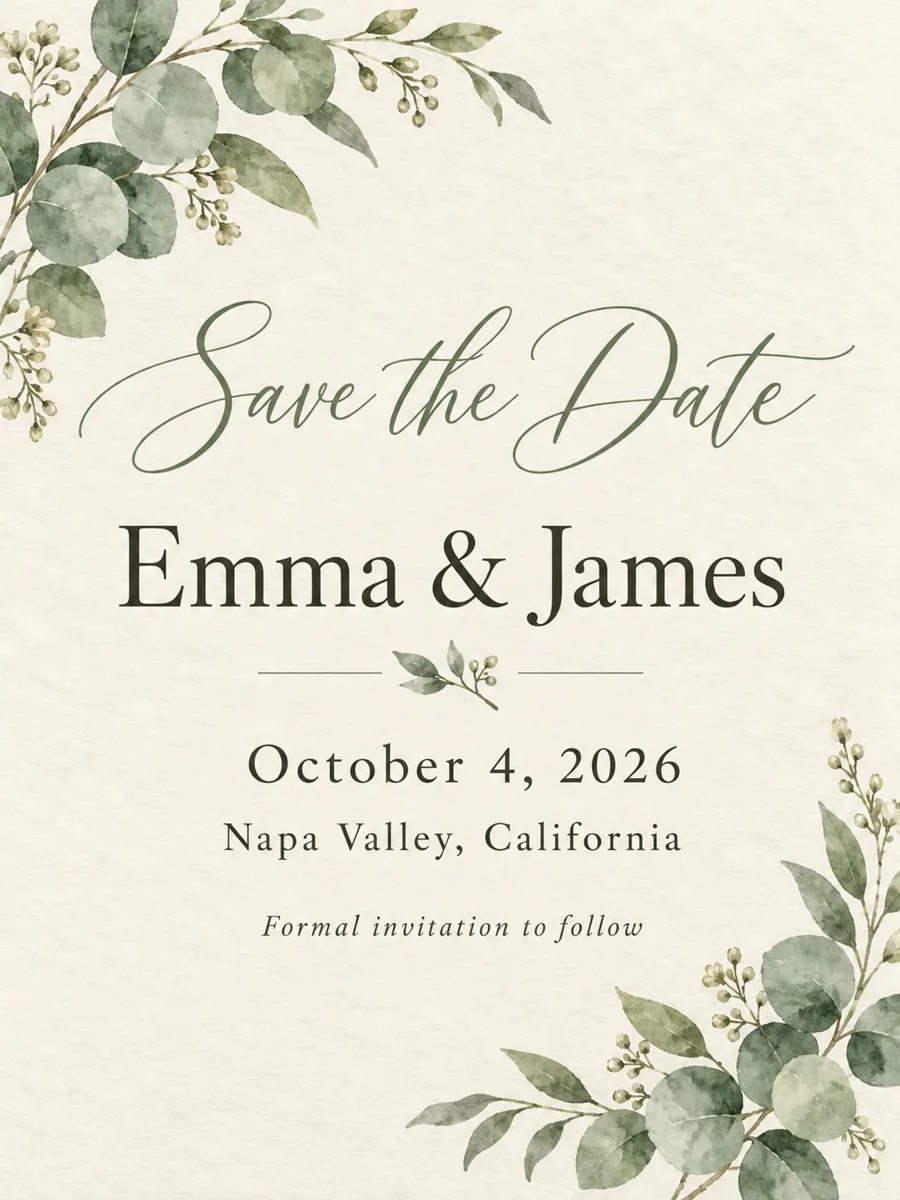
Watercolour save-the-date card for Emma and James with the wedding date in serif type
Before
Watercolour save-the-date card for Emma and James with the wedding date in serif type — After
After

Invitations

The wedding moved two weeks

“September 20, 2026” became “October 4, 2026” in the same spaced serif. Script, names and eucalyptus untouched.

How to Change the Date in an Image

  1. 1

    Upload the image

    A poster, flyer, invitation or photo as PNG, JPG or WebP.

  2. 2

    Type the old and the new date

    Copy the date exactly as it appears, then write the replacement.

  3. 3

    Generate and download

    The date is redrawn in place. Compare with the original and save.
Edit the Date on a Photo or Design Without Redoing It

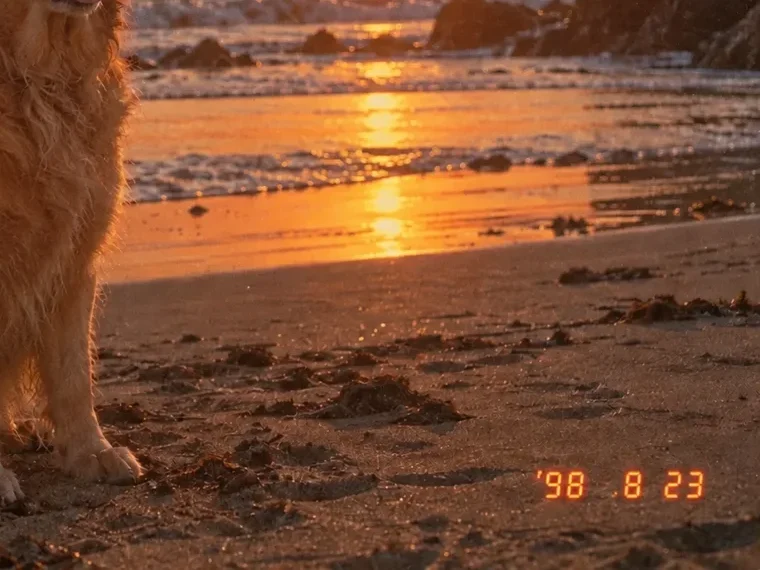
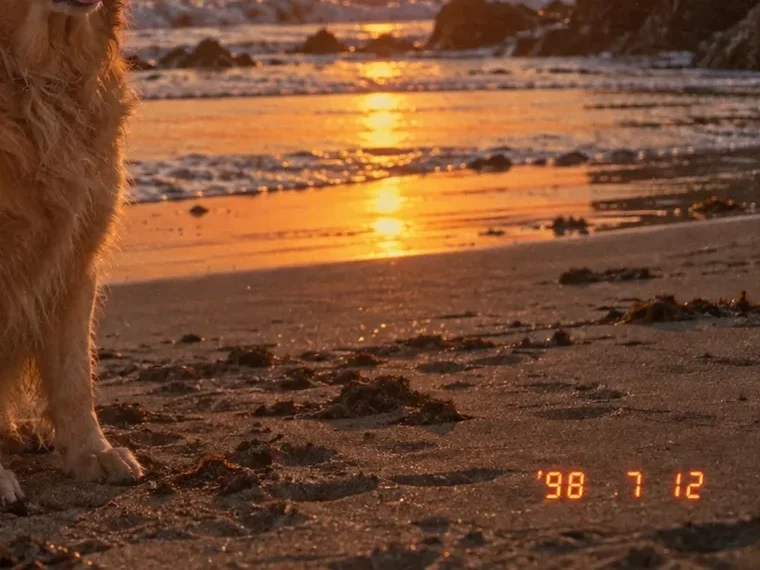
Close crop of a beach photo with its orange camera date stamp changed
Before
After
Date stamps

Change the Date Stamp on a Photo

  • The orange seven-segment stamp of a film or digital camera is redrawn in the same style
  • Type it exactly as printed, apostrophe and spaces included, for the best match

'98 7 12'98 8 23

Canvas editor with a poster’s text lifted onto editable layers
Many changes

Dates, Times and Venues: Change Several Lines at Once

  • Switch to Editable layers: every line of text becomes a layer you can retype
  • Change the date, the time and the address in one go, then export a layered PSD or the layers as PNGs

Keep going

More ways to use Image Text Editor

More in Image Text Editor

All →

Change Date in Image: FAQ

Change the Date in Your Image Now

Get free credits

20 free creditsNo card needed