
Edit Text in a Poster —
Change the words, keep the design

Lost the Canva link or never had the PSD? Upload the poster or flyer as an image and change the time, price or venue right on it.


Marketing poster after AI image text editing, with seamless inpainting and live editable text layers (After)Commercial marketing poster original, ready to edit text in image online (Before)
BeforeAfter
No image?Try one of these:
  • 20 free creditsA one-line rewrite is 8 credits; lifting all text onto layers is 5.
  • Fonts matchedNew words are drawn in the poster’s own lettering.
  • No design file neededA JPG or PNG of the poster is enough.

Edit Text on a Poster: Real Results

One AI rewrite each: the old words typed in, the new words typed in.

Sage green yoga studio flyer listing class days, time and first-class price
Before
Sage green yoga studio flyer listing class days, time and first-class price — After
After

Flyers

A new class time on the yoga flyer

“7:00 AM” became “6:30 AM” in the same type. The photo, the layout and every other line are as they were.
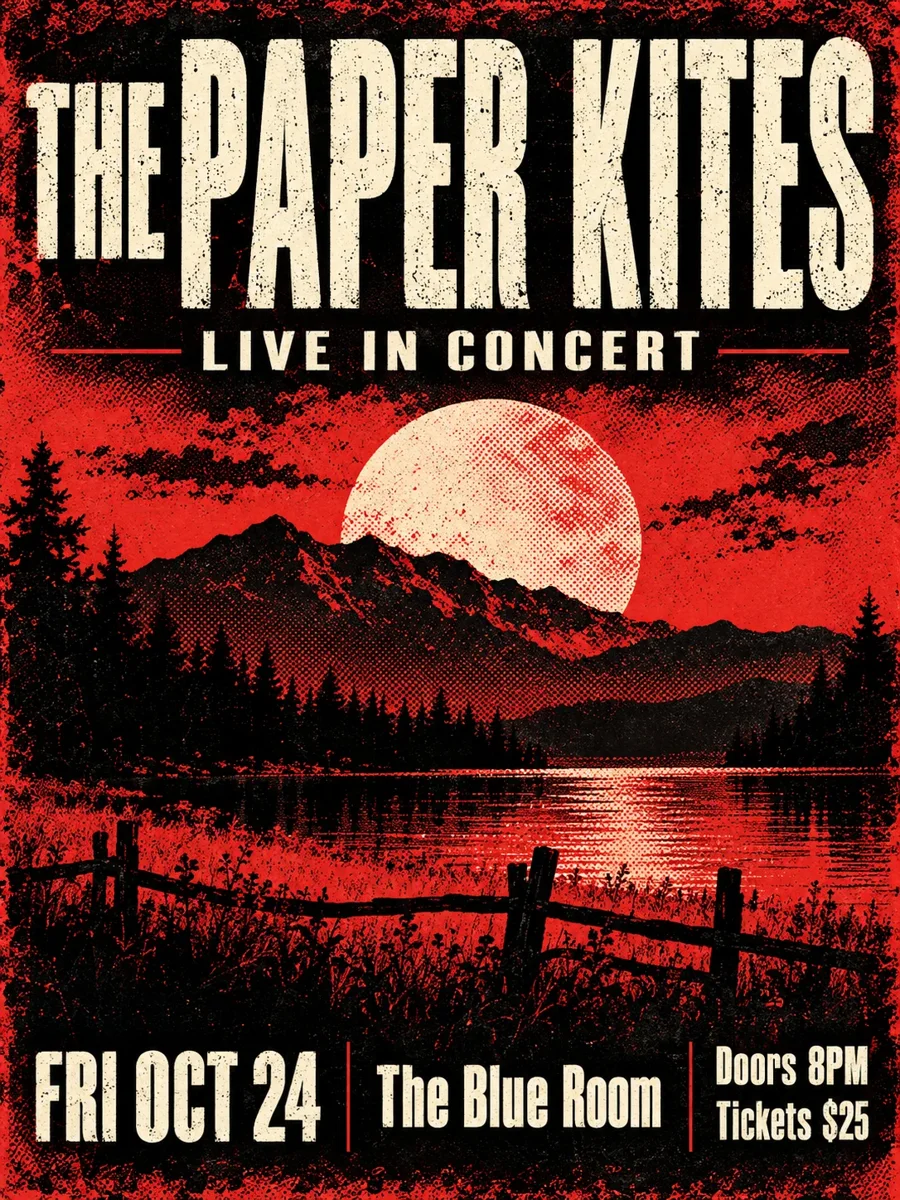
Red and black gig poster with band name, date, venue and ticket price
Before
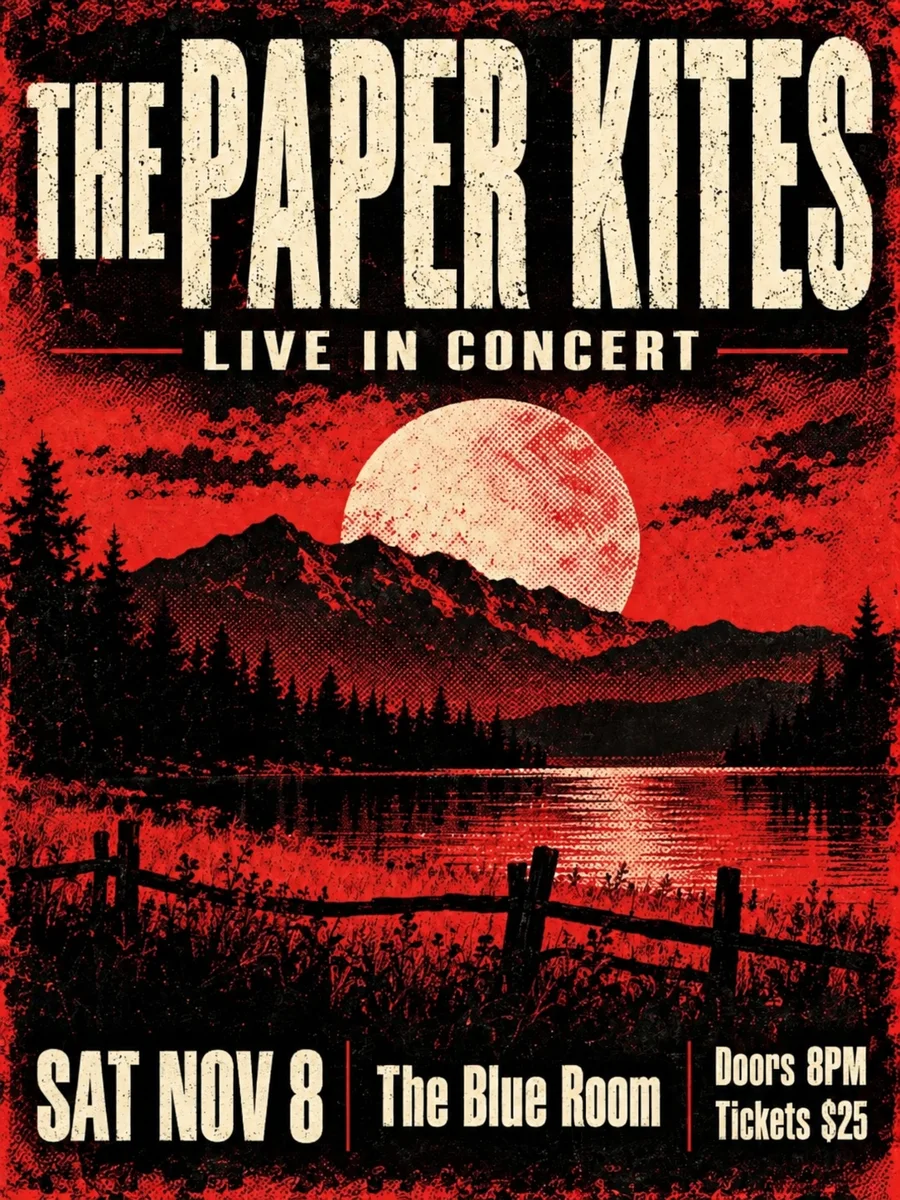
Red and black gig poster with band name, date, venue and ticket price — After
After

Gig posters

A rescheduled show

The date line was rewritten over the halftone texture, so the poster can go back up the same day.

How to Edit Text in a Poster Online

  1. 1

    Upload the poster

    A JPG, PNG or WebP export, a screenshot or a photo of a printed flyer.

  2. 2

    Choose how to edit

    AI rewrite: type the old words and the new ones. Editable layers: every line becomes text you can retype.

  3. 3

    Download

    AI rewrite downloads a PNG; Editable layers exports a layered PSD or the layers as PNGs.
Edit a Flyer or Poster Image Without the Original File

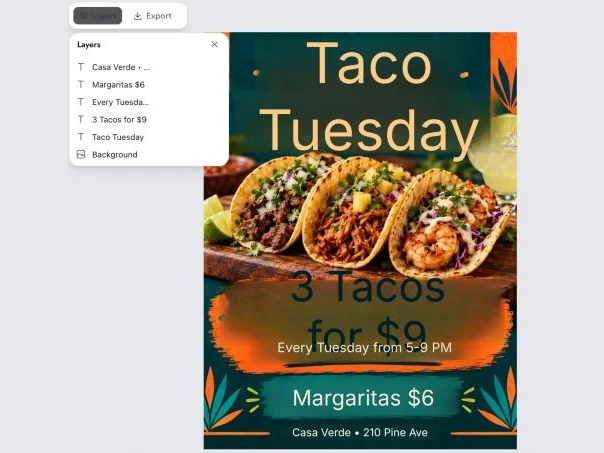
Taco night poster in the canvas editor with five text layers and a background layer listed
Editable layers

Change Several Lines: Every Line on Its Own Layer

  • Each line of text becomes a layer over a background with the old words removed
  • The lines come back in a plain font: retype prices, days and addresses, then pick the font, size and colour
  • One run is 5 credits, however many lines you change
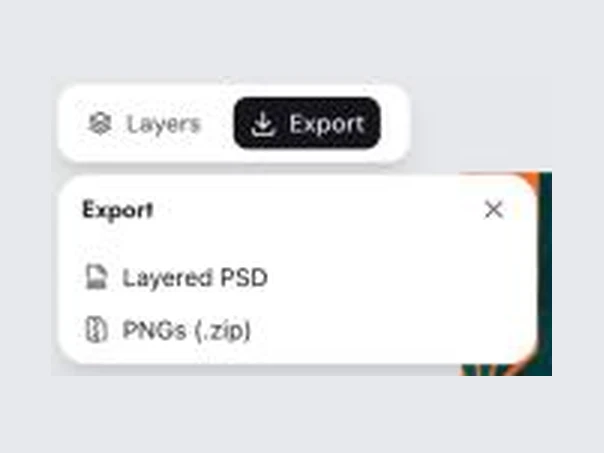
Export panel in the canvas editor offering Layered PSD and PNGs (.zip)
PSD export

Export the Edited Poster as a Layered PSD

  • Export a PSD with every line of text and the background as separate layers, or all layers as PNGs in a zip
  • Open the PSD in Photoshop or Photopea to keep working on it

Keep going

More ways to use Image Text Editor

More in Image Text Editor

All →

Edit Text in a Poster: FAQ

Edit the Text on Your Poster Now

Get free credits

20 free creditsNo card needed